
AI-Assisted Fields
We're always looking for ways to make your Signable experience that little bit smoother, so there's less time spent dotting the I's and crossing the T's and more time making your business soar!
AI-Assisted Fields is a tool to help speed up your document prep-work by reviewing your document's spacing, labels and layout to suggest where fields could be placed:
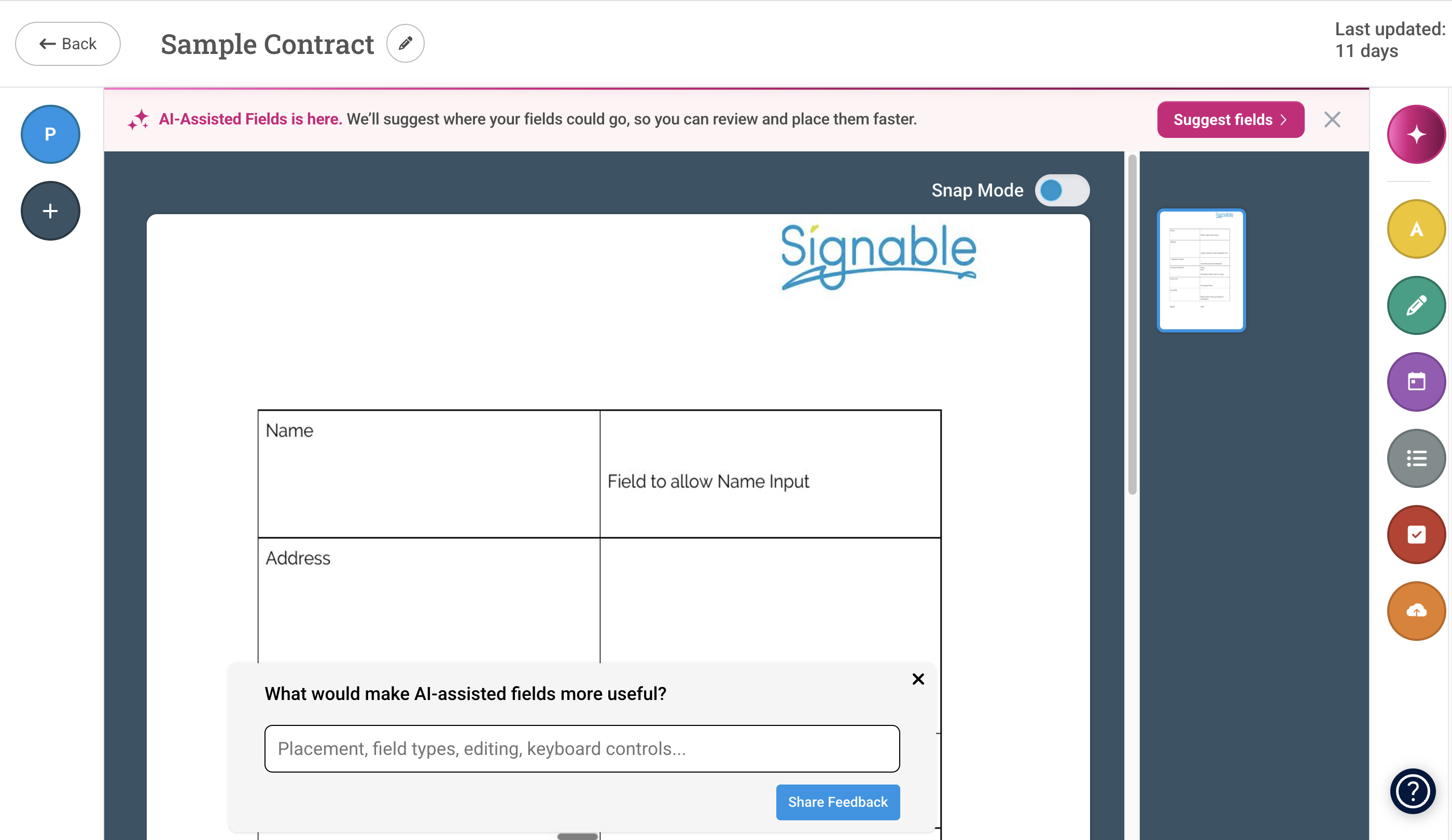
Note: AI-Assisted Fields is designed to assist with setup. It does not make the final decision for you. The tool:
- suggests likely field locations
- does not change the original document
- does not send the envelope automatically
- does not replace your review before sending
How To Use AI-Assisted Fields
- Upload your document either as a template or a new Envelope and proceed to the field-placement step.
-
Select Suggest Fields as highlighted below:
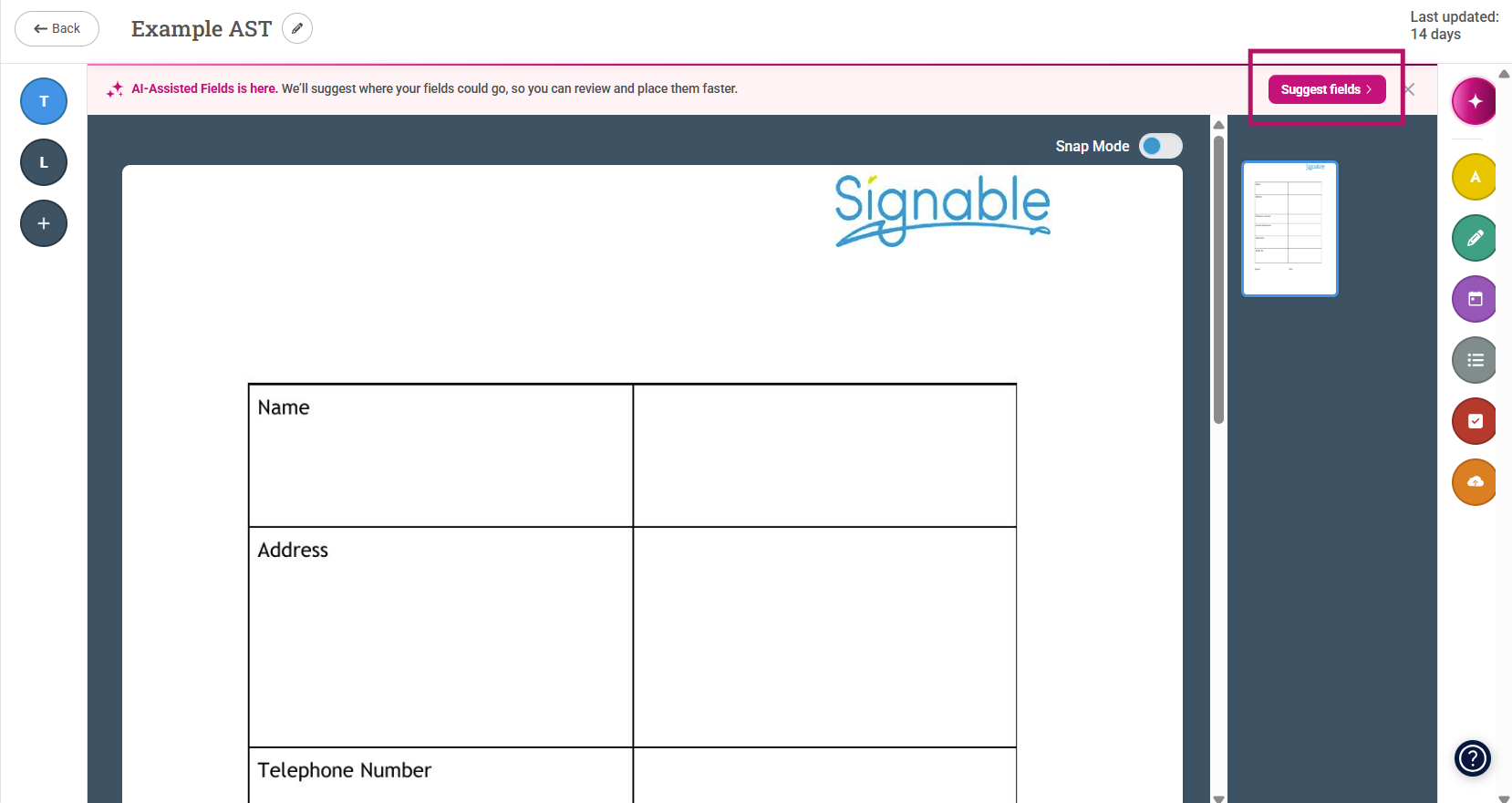
- Wait while the document is analysed.
-
Review the suggested fields:
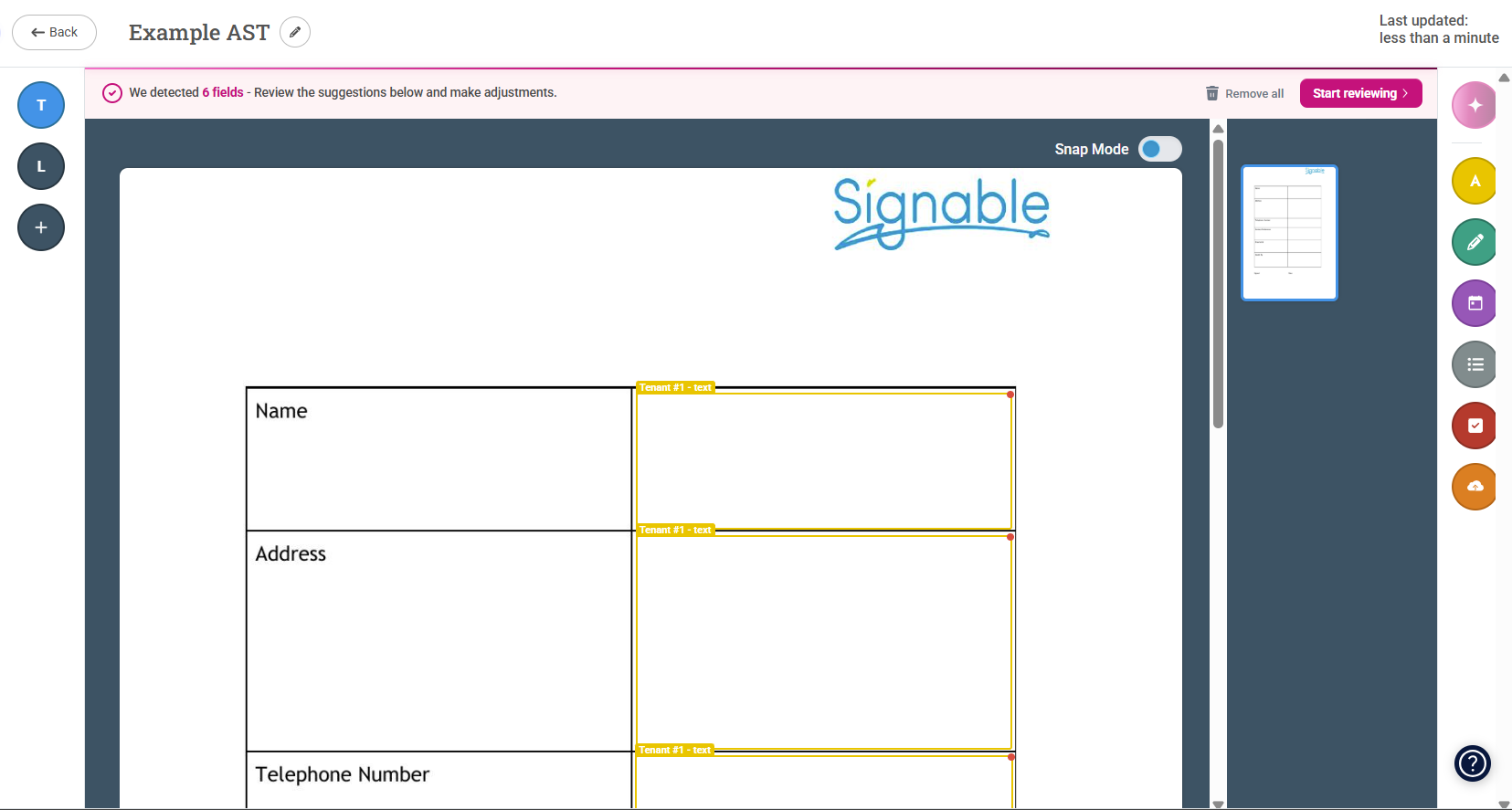
- All of the fields placed can be edited - make them smaller, re-label them, swap assigned parties - it's important that you double check what's been placed first and make edits where necessary.
- Send the envelope once you have checked the fields are correct. If creating a template - the template autosaves, so once you're happy - on to your next task!
Supported Field Types
AI-Assisted Fields currently suggests:
- text fields
- checkboxes
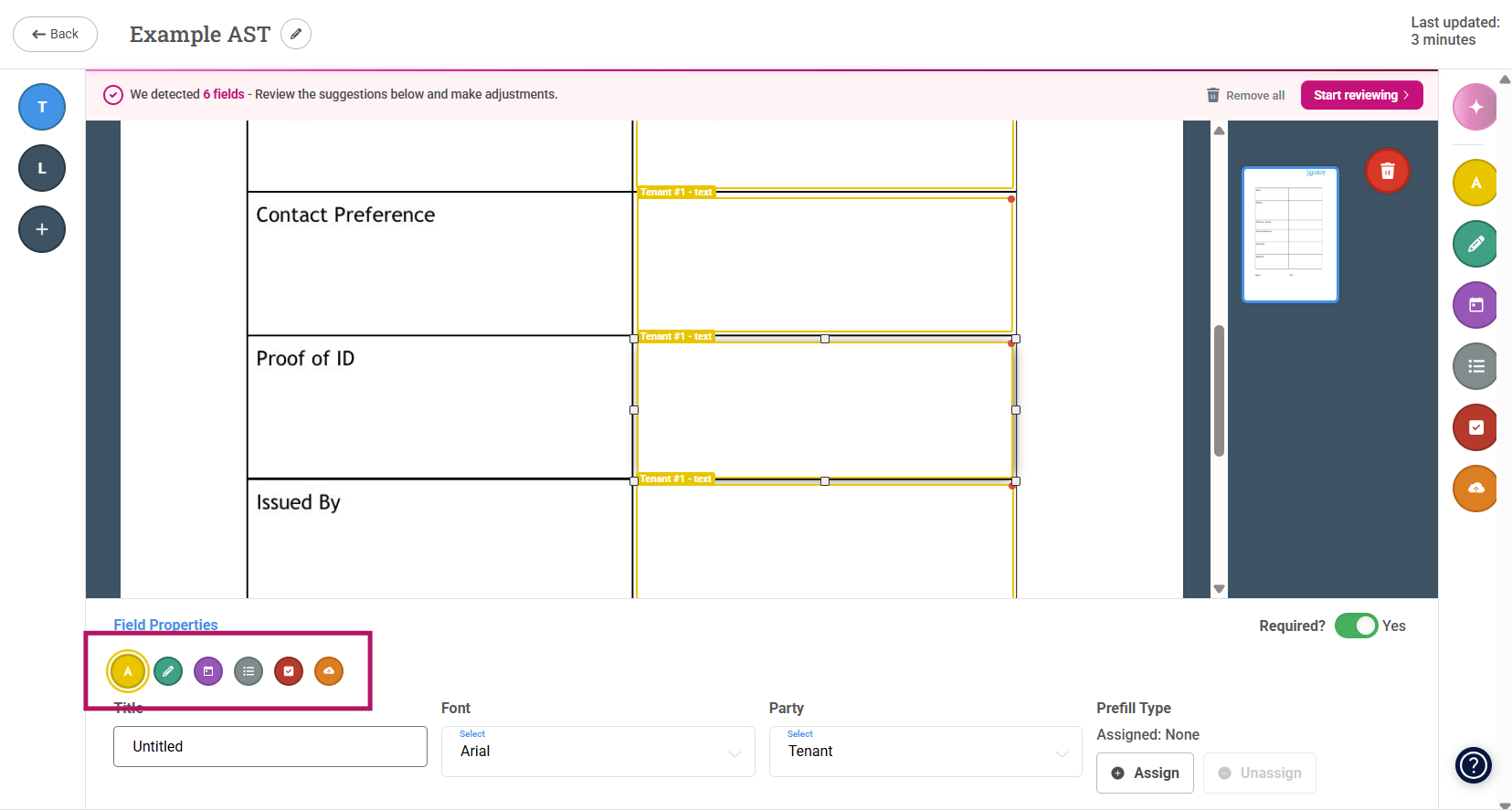
If you need a different field type, select the suggested field and choose the correct field type from the field editing menu. This will switch the field to your desired type.
FAQs
What will AI-Assisted Fields do with my Data?
AI Assisted Fields runs an analysis of your document to suggest field placement. The document content is used only to provide that suggestion for the current document. It is not used to train a general-purpose AI model, and it is not reused across other customers’ documents.
Why Didn’t AI-Assisted Fields Add Any Fields?
If AI-Assisted Fields does not suggest any fields, it means suitable field locations could not be identified confidently on that document.
Try one of the following:
- upload a clearer version of the document
- add fields manually using the standard field placement tools
Running AI-Assisted Fields again on the same document is unlikely to produce different suggestions.
Why Weren’t Fields Added When I Already Placed Some Manually?
If fields have already been placed manually, AI-Assisted Fields will not add another set of fields on top of them.
This is intentional and helps prevent duplicate or overlapping fields.
You can still add, move, edit or delete fields manually.
Can I Edit The Suggested Fields?
Yes. Suggested fields are only recommendations. You can move, delete, change or add fields before sending.
Does AI-Assisted Fields Make The Final Decision?
No. AI-Assisted Fields helps with document setup, but you should always check the suggested fields before sending your envelope.