
Envelope sharing options
Sharing options allow you to control who can see your envelope. These options can be accessed from the New Envelope summary page as follows.
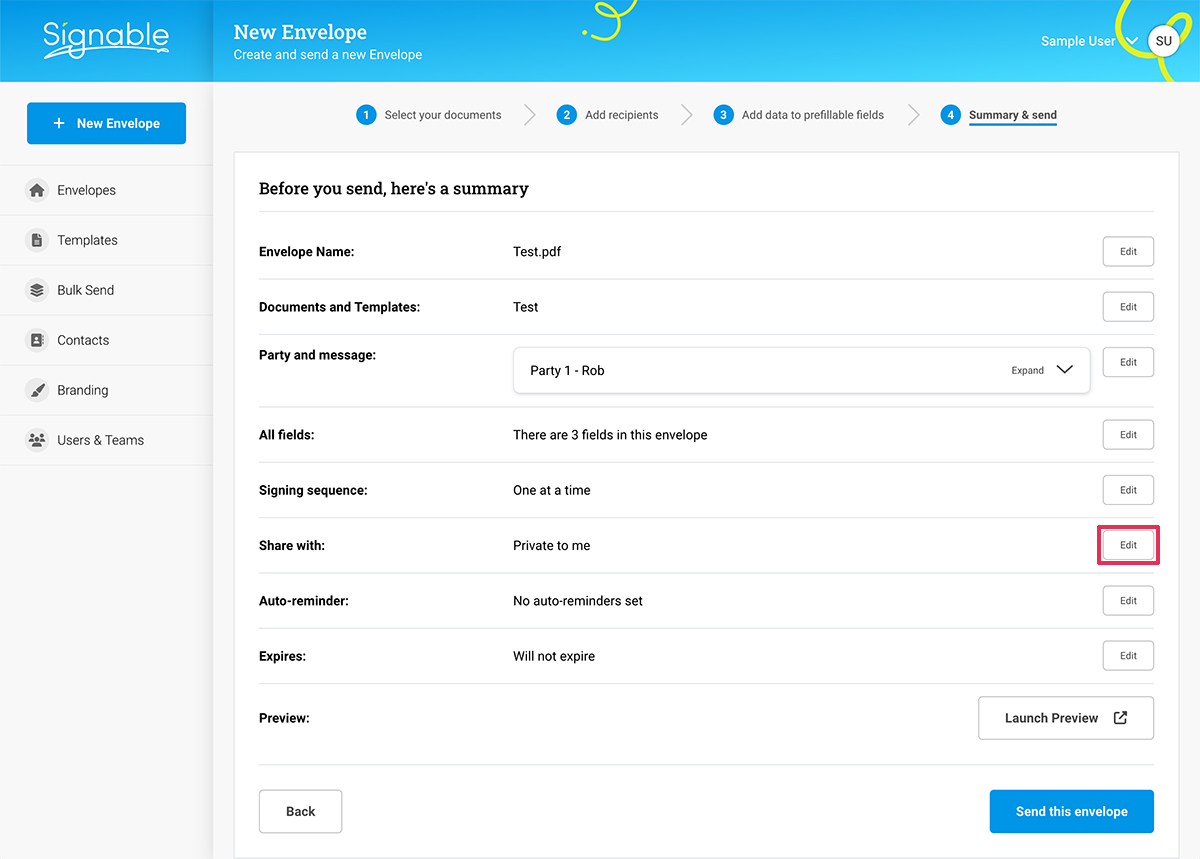
Step 1
Click the ‘Edit’ button in the ‘Share with’ section of the new Envelope summary page.
Step 2
Select your preferred sharing option and click ‘Update’ to save your selection or ‘Cancel’ to continue without saving.
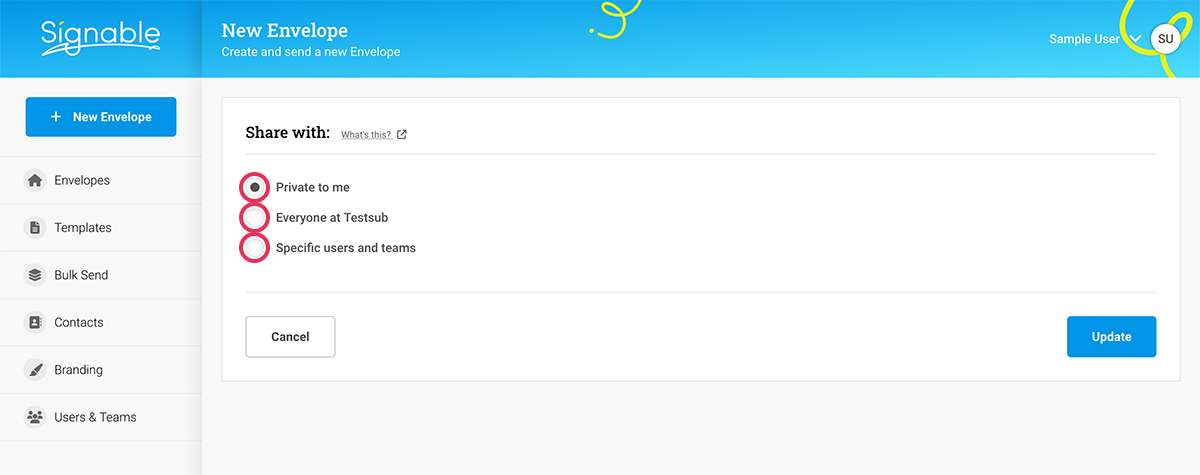
The following descriptions outline each of these options in more detail...
Private to Me
Means that this will only be visible by yourself or any Super Admins on the account. (For more info on Super Admins and user roles, click here)
Everyone at {Company Name}
Every user on the account will be able view/edit the envelope/template in question.
Specific Users and Teams
If your current plan includes this feature, you can elect to share with specific users or even groups of users! Very handy if you need a wider view on the work but not quite full access across the account!